
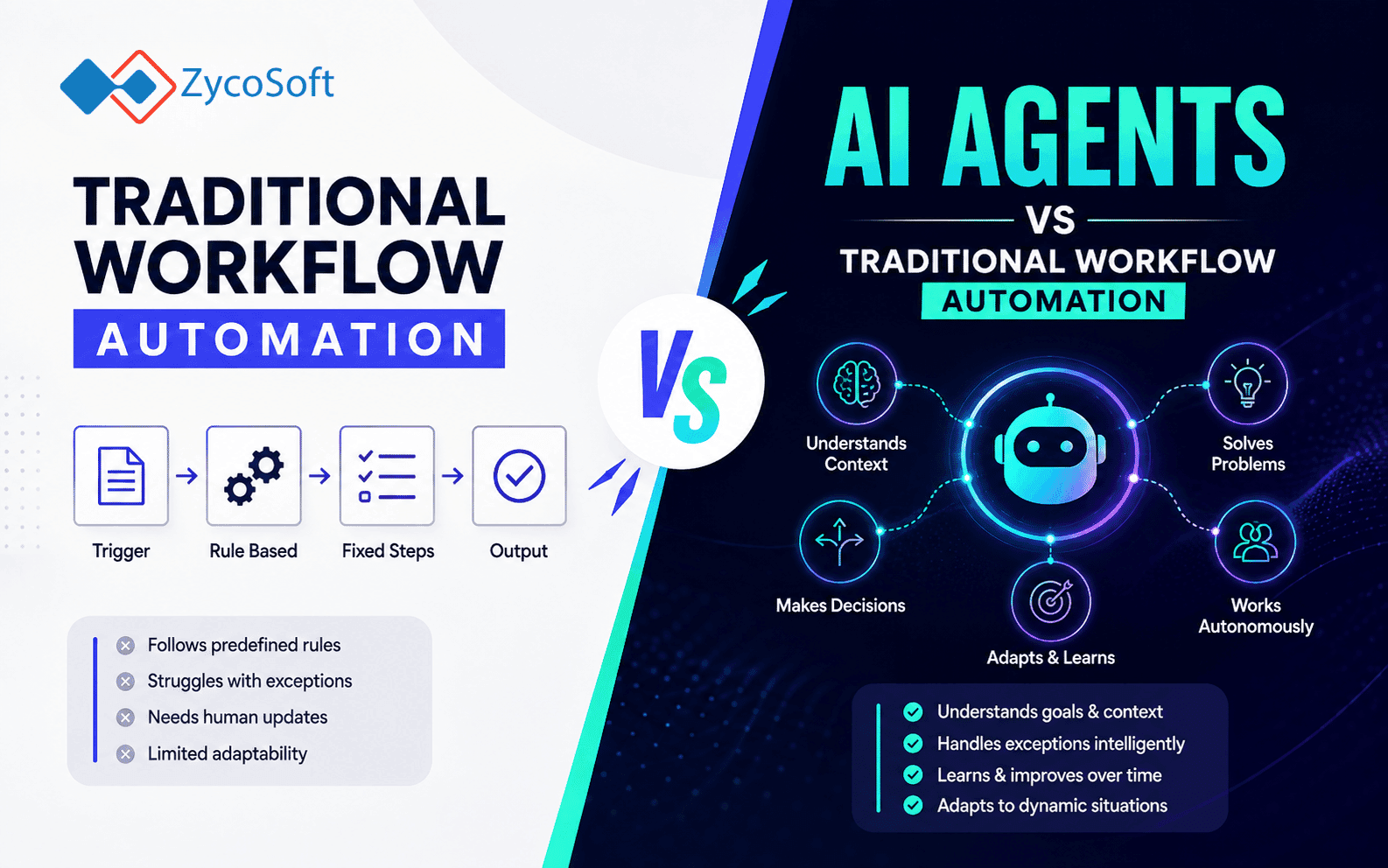
AI Agents vs Traditional Workflow Automation: What Is Actually Different
The question engineering leads are actually asking in 2025 is not whether to automate. It is whether a given workflow needs an LLM reasoning over it or whether a well-constructed n8n flow with a few conditional branches will do the job cleanly. The answer has real consequences for operational complexity, debuggability, cost, and compliance. Getting it wrong in either direction is expensive: premature agent architecture adds fragility where none was needed, and trying to encode genuine language-level judgement into rigid rule branches produces brittle automation that fails at the edges constantly.
This post draws a precise boundary between AI agents vs workflow automation, covers the architectural components that distinguish them, and gives you a decision framework you can apply to real back-office scenarios.
What Rule-Based Automation Actually Does (and Where It Stops)
Tools like n8n, Zapier, and Make execute a directed graph of nodes. A trigger fires, data flows through a fixed sequence of transformations, conditions, and API calls, and the workflow either completes or errors. The control flow is entirely pre-defined by the developer at build time. A detailed comparison of these tools covers their relative strengths, but the architectural point that matters here is that all three share the same fundamental model: deterministic execution of a static graph.
This model is extremely well-suited to structured, repeatable processes. Syncing a new Stripe payment record to your CRM, sending a Slack notification when a GitHub issue is labelled, or routing a form submission to the correct team inbox based on a dropdown value: these are all tasks where the logic is fully knowable in advance, the inputs are structured, and the expected output is unambiguous. Rule-based automation is fast, cheap to run, easy to audit, and straightforward to maintain.
Where it breaks down is predictable. If the input is unstructured (a free-text email, a PDF invoice from a supplier who changes their layout each quarter, a customer message that might be a refund request or a delivery question depending on context), the number of conditional branches required to handle the variation correctly grows faster than anyone can maintain. You end up with a workflow that handles the top 80% of cases and silently misfires on the rest.
What Makes an AI Agent Architecturally Different?
An AI agent replaces the static control graph with a reasoning loop. The core components of a minimal agent are:
- An LLM as the reasoning engine. The model receives a goal and the current context, then decides what to do next rather than following a pre-written path.
- A tool registry. A defined set of functions the agent can call: search the web, query a database, send an email, call an API, write a file. The agent selects which tool to invoke based on its reasoning.
- A feedback loop. Tool outputs are returned to the LLM, which evaluates the result and decides whether the goal is satisfied or whether another action is needed. This loop repeats until the agent concludes or hits a defined stopping condition.
- Memory (optional but common in production). Short-term memory is the accumulated context within a single run. Long-term memory, backed by a vector store or structured database, lets the agent recall information from previous sessions.
A minimal agent prompt-to-tool invocation cycle in plain terms looks like this: the agent receives "Summarise the outstanding invoices for Acme Ltd and draft a chaser email." It calls a database tool to retrieve open invoices, receives the results, reasons over them, calls a document-generation tool to draft the email, then returns a structured output for human review or direct dispatch. No developer pre-coded the exact sequence of those steps. The LLM determined the path based on the goal and intermediate results.
This is the architectural line. Workflow automation executes a plan. An agent constructs a plan at runtime.
Memory and State: The Operational Gap Most Teams Underestimate
Standard automation tools are stateless between runs. Each execution is independent. This is a feature, not a limitation: it makes workflows easy to reason about, test, and replay.
Agent memory introduces genuine stateliness, and with it, a set of engineering responsibilities that rule-based automation simply does not have. Short-term context (the task thread within a single run) is managed by the LLM's context window. Long-term memory requires explicit infrastructure: typically a vector database for semantic retrieval (Pinecone, Weaviate, pgvector in Postgres) or a structured key-value store for factual recall.
The compliance implications matter immediately for teams operating under GDPR or handling personal data. If an agent stores customer interaction history in a vector store to personalise future responses, that data is subject to retention, access, and deletion obligations. Building GDPR-compliant architecture from day one is considerably cheaper than retrofitting it after your agent system has been logging interactions for six months. This is not a theoretical concern: it is an audit risk that teams in the UK, EU, and UAE are increasingly being asked to account for.
When to Use AI Agents vs Workflow Automation: A Decision Framework
The choice between agentic automation vs rule-based automation comes down to five questions applied to the specific workflow. Use this as a pre-architecture checklist:
- Input structure. Are inputs consistently structured (JSON, form fields, database rows)? Use workflow automation. Are inputs unstructured or semi-structured (emails, PDFs, voice transcripts, free-text fields)? An LLM processing step is likely justified.
- Branch complexity. Can you write the decision logic in under 20 conditional branches without it becoming unmaintainable? Use a workflow tool. If the logic requires language-level judgement or grows combinatorically, an agent is more appropriate.
- Output determinism requirement. Does the downstream system require a precisely formatted, auditable, reproducible output every time? Workflow tools are safer. If the output is a draft for human review or a soft recommendation, agent non-determinism is acceptable.
- Task complexity and multi-step reasoning. Is the task a single transformation or a sequence of dependent steps where each step informs the next? Multi-step reasoning across variable inputs is where agents earn their keep.
- Tolerance for operational complexity. Agents require structured logging of every tool call and LLM response, defined fallback behaviour, and ideally a human-in-the-loop checkpoint for high-stakes actions. If your team cannot maintain that infrastructure, the reliability cost of the agent will exceed the productivity gain.
A practical heuristic: if you can fully specify the logic in a flow diagram before writing a single line of code, use a workflow tool. If specifying the logic requires writing paragraphs of English describing edge cases and judgement calls, an agent is probably the right architectural choice.
Hybrid Architecture: Where Most Production Systems Actually Land
The framing of LLM agents vs n8n as a binary choice misrepresents how production systems are actually built. The most reliable pattern is a hybrid: deterministic workflow orchestration wrapping an agentic reasoning core.
A concrete example from a B2B operations context: an inbound email from a supplier arrives and triggers an n8n workflow. n8n extracts the raw email body and passes it to an LLM agent node configured with tools for querying the purchase order database, looking up contact records, and classifying intent. The agent returns a structured JSON output: intent classification, extracted invoice number, matched PO reference, and a confidence score. n8n then routes based on that structured output: high-confidence matches go straight to the accounts payable queue, low-confidence ones are flagged for human review. The agent handles the ambiguity. n8n handles the routing, logging, and delivery.
This architecture gives you the best of both models. The deterministic shell is auditable and easy to test. The agent is scoped to the reasoning steps where unstructured language processing is genuinely required. Real-world AI automation deployments consistently show that containing agent scope to specific reasoning tasks, rather than letting an agent orchestrate entire workflows end to end, produces more reliable and maintainable systems.
The failure mode to avoid is building an agent that controls the entire workflow including API calls, data writes, and external communications without a deterministic wrapper. This produces systems that are difficult to audit, unpredictable under edge cases, and expensive to debug when something goes wrong at 2am.
How ZycoSoft Approaches This Decision in Practice
ZycoSoft's AI automation practice covers end-to-end workflow automation using LLMs, n8n, and custom AI pipelines, and the architecture decisions described in this post are exactly what we work through with every client before writing any code. The starting point is always the workflow audit: mapping every input type, decision point, and output requirement before recommending a tool.
For structured, high-volume back-office processes (invoice routing, CRM sync, order status updates), we build and extend n8n-based pipelines. These are deterministic, observable, and cheap to run at scale. For workflows involving unstructured document processing, natural language classification, or multi-step research tasks, we introduce LLM agent nodes, typically using a RAG-based retrieval layer against the client's own data rather than relying on the model's general knowledge alone. We have production deployments combining n8n orchestration with GPT-4o and Claude-based agents handling supplier communication triage, lead qualification, and compliance document extraction.
We scope projects explicitly to avoid both over-engineering an MVP with agent architecture it does not need, and under-architecting a workflow that will collapse the moment edge cases appear in production. For teams operating in the UK, EU, or UAE, we also build GDPR-compliant data handling into the agent memory layer from the start, including retention policies, audit logging of LLM decisions, and access controls on any vector store holding personal data. That combination of practical n8n experience, production LLM deployment, and compliance-aware architecture is rare in the agency market, and it is the difference between a proof of concept and a system you can actually run in production.
If you are evaluating whether your current automation stack needs an agent layer, or whether an existing agent implementation is architecturally sound, the conversation starts with your workflows, not with the tools. Get in touch with the ZycoSoft team and we will tell you exactly where the line is for your specific use case.
Frequently Asked Questions
Traditional tools like n8n and Zapier execute a fixed sequence of nodes triggered by an event. AI agents use an LLM as a reasoning engine that decides which tools to call, in what order, and whether to loop back based on intermediate outputs. The control flow is dynamic rather than pre-defined, which introduces both flexibility and unpredictability.
Use an AI agent when the task involves unstructured inputs, requires multi-step reasoning that cannot be mapped to fixed branches, or needs to handle edge cases that rule-based logic cannot anticipate. Good examples include triaging support tickets with variable formats, extracting structured data from free-text documents, or orchestrating research tasks across multiple APIs.
n8n supports LLM-based agent nodes natively, including tool-calling and memory integration. This means you can build hybrid architectures where deterministic workflow orchestration wraps an agentic reasoning core. This is often the right approach: use n8n for reliable event handling and routing, and hand off to an agent only for the reasoning-heavy steps.
Non-determinism is the primary risk. An agent may choose a different tool path on identical inputs across separate runs, making debugging and auditing harder. Production agent deployments need structured logging of every tool call and LLM response, defined fallback behaviour when confidence is low, and human-in-the-loop checkpoints for high-stakes actions such as sending communications or writing to a database.
Standard automation tools are stateless between runs: each execution starts fresh. AI agents can be given short-term memory (the conversation or task context within a single run) and long-term memory via a vector database or structured store, allowing them to recall past interactions, user preferences, or previously retrieved facts. This enables genuinely adaptive behaviour but adds infrastructure and compliance considerations, particularly under GDPR.
A common pattern is n8n handling the trigger and data routing layer, an LLM agent handling the reasoning or extraction step, and a structured output written back to a database or passed to another n8n node for delivery. For example: an inbound email triggers an n8n workflow, the agent classifies and extracts key fields, n8n routes the result to a CRM or ticketing system. This keeps the deterministic shell auditable while the agent handles ambiguity.